
PhotoWear Classic Watch Face
In-app purchases

star
41.7K reviews

Rated for 3+
info
5M+
Downloads

Rated for 3+
Learn more


About this app
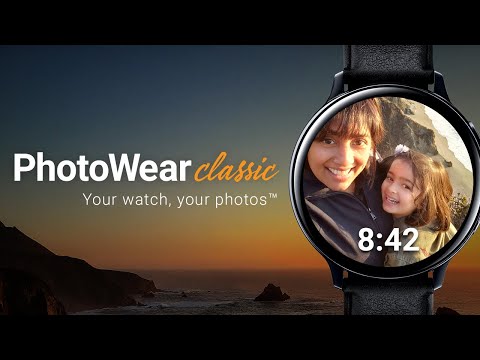
Wear your memories on your wrist! Want to easily show off your best photos? With PhotoWear Classic™, you can easily display any of your favorite nine photos right from your smartwatch! Whether it’s a recent trip you took or pics of your grand kids, build memories and share them with your friends or keep them for yourself.
Enjoy the free version or upgrade to PhotoWear Classic Pro for additional features.
SELECT 9 of your favorite photos from your phone's gallery
TOGGLE between photos right from your watch face
☆☆☆ COMPATIBILITY ☆☆☆
PhotoWear Classic is compatible with Android Wear OS watches and select Samsung watches, including the Galaxy Watch4 and Watch5, the Google Pixel, and Fossil Gen 6.
Watches shipped with Wear OS 5.X, including Google Pixel 3 and the Samsung Galaxy Watch7 series, are NOT currently supported.
PhotoWear Classic NO LONGER supports Samsung/Tizen-based smartwatches (including the Gear S3, Sport, and legacy Galaxy series).
PhotoWear Classic NO LONGER supports the older generation of smartwatches running the legacy Android Wear OS 1.X, including the original Asus ZenWatch, LGE G Watch, Samsung Gear Live, Sony SmartWatch 3, and the Moto 360.
Read more about PhotoWear compatibility here: https://link.squeaky.dog/photowear-classic-compatibility
If you're looking for help with PhotoWear Classic, please see our online knowledge base (https://link.squeaky.dog/photowear-classic-help), check out our video tutorials on YouTube (https://link.squeaky.dog/photowear-classic-video-playlist), or you can open a support ticket by emailing us at [email protected].
☆☆☆ HIGHLIGHTED FEATURES ☆☆☆
FREE features:
- Digital watch face
- Crop your photos and apply photo filters
- Interactive watch face lets you select album view or tap to display any of 9 photos full screen
PRO Features:
- Additional beautiful clock style choices
- Change options like text font, battery indicator, and time position
- And many more customizations!
☆☆☆ Staying in Touch ☆☆☆
Join the **PhotoWear Classic** community and stay up to date with feature development and other valuable information. Sign up for PhotoWear Classic News & Updates here: https://link.squeaky.dog/photowear-classic-newsletter. We do not send many emails and you can unsubscribe at any time.
facebook.com/codelikeadog
instagram.com/codelikeadog
twitter.com/codelikeadog
Use of this app constitutes agreement with Sparkistic, LLC's END-USER LICENSE AGREEMENT.
https://squeaky.dog/eula
Enjoy the free version or upgrade to PhotoWear Classic Pro for additional features.
SELECT 9 of your favorite photos from your phone's gallery
TOGGLE between photos right from your watch face
☆☆☆ COMPATIBILITY ☆☆☆
PhotoWear Classic is compatible with Android Wear OS watches and select Samsung watches, including the Galaxy Watch4 and Watch5, the Google Pixel, and Fossil Gen 6.
Watches shipped with Wear OS 5.X, including Google Pixel 3 and the Samsung Galaxy Watch7 series, are NOT currently supported.
PhotoWear Classic NO LONGER supports Samsung/Tizen-based smartwatches (including the Gear S3, Sport, and legacy Galaxy series).
PhotoWear Classic NO LONGER supports the older generation of smartwatches running the legacy Android Wear OS 1.X, including the original Asus ZenWatch, LGE G Watch, Samsung Gear Live, Sony SmartWatch 3, and the Moto 360.
Read more about PhotoWear compatibility here: https://link.squeaky.dog/photowear-classic-compatibility
If you're looking for help with PhotoWear Classic, please see our online knowledge base (https://link.squeaky.dog/photowear-classic-help), check out our video tutorials on YouTube (https://link.squeaky.dog/photowear-classic-video-playlist), or you can open a support ticket by emailing us at [email protected].
☆☆☆ HIGHLIGHTED FEATURES ☆☆☆
FREE features:
- Digital watch face
- Crop your photos and apply photo filters
- Interactive watch face lets you select album view or tap to display any of 9 photos full screen
PRO Features:
- Additional beautiful clock style choices
- Change options like text font, battery indicator, and time position
- And many more customizations!
☆☆☆ Staying in Touch ☆☆☆
Join the **PhotoWear Classic** community and stay up to date with feature development and other valuable information. Sign up for PhotoWear Classic News & Updates here: https://link.squeaky.dog/photowear-classic-newsletter. We do not send many emails and you can unsubscribe at any time.
facebook.com/codelikeadog
instagram.com/codelikeadog
twitter.com/codelikeadog
Use of this app constitutes agreement with Sparkistic, LLC's END-USER LICENSE AGREEMENT.
https://squeaky.dog/eula
PhotoWear lets you wear a gallery on your wrist!
Updated on
Safety starts with understanding how developers collect and share your data. Data privacy and security practices may vary based on your use, region, and age. The developer provided this information and may update it over time.
- No data shared with third partiesLearn more about how developers declare sharing
- This app may collect these data typesApp activity, App info and performance, and Device or other IDs
- Data is encrypted in transit
- Data can’t be deleted


Ratings and reviews
22.1K reviews

DAPINFINITY
- Flag inappropriate
- Show review history
March 15, 2021
One word: AMAZING !!! I have a Fossil gen 5 watch and a Samsung phone. I couldn't figure out how to set my own pictures on my watch face without logging into my social media (Facebook/Instagram). Glad I came across this app, I remember someone mentioning it on a YouTube video. You can choose 9 pics of your own on your phone using the photo wear app, it also has filters, brightness, contrast, etc. Pro version has more features, which I think its worth getting. Once its synced to the watch thru Bluetooth, you'll see the 9 photos you chose from your phone onto the watch itself, then you can pick one out of any of them as your main wallpaper cover for your smart watch.
193 people found this review helpful
Squeaky Dog Studios
March 16, 2021
Thank you very much for your 5-star review!!!

Paul Ryan
- Flag inappropriate
- Show review history
December 10, 2022
Great when it still worked. Added a photo, and now I can't change to any other. Restarted watch and phone, switched watch face and back, still doesn't change. Claims to send, but doesn't, and watch is definitely connected. Glad I bought the full version out of my Google Awards credit. I'll give five stars if this can be fixed. And oh yes, you can't send the preloaded photos at all, only change them.
32 people found this review helpful
Squeaky Dog Studios
December 24, 2022
Hi Paul! I am sorry to hear that you're having an issue with PhotoWear. Please help us investigate the issue by sending a diagnostic log. Do this on your mobile phone by opening PhotoWear, tapping the 3 dots at the top right of the screen, select Help, then Submit. Make sure you enable data collection under Privacy Settings.

A Google user
- Flag inappropriate
- Show review history
June 11, 2019
Shortly after using the free version on my LG w150, I went ahead and purchased the pro version for a couple bucks. Wonderful app. Would have been 5 stars of I could store more images. Hurry! Hurry! And I will update I have upgraded my watch to a Samsung gear3 frontier after a couple years......man, I really had to, and continue to, struggle with this app to get it to perform .....still only 9 images..... cannot get it to switch from analog to digital time..... . my review to 6 stars
12 people found this review helpful
Squeaky Dog Studios
May 10, 2018
Hi Doug, we're glad to hear that you're enjoying PhotoWear, and yes support for additional photos is on our roadmap!
What’s new
We are working hard to keep PhotoWear Classic running smoothly!
Rated for 3+
Learn moreApp support
About the developer
Sparkistic, LLC
1700 Botelho Dr APT 217
Walnut Creek, CA 94596-8512
United States
+1 858-876-4747


