
DrawPlan: Floor Plan Maker AI
In-app purchases

star
14.4K reviews

Rated for 3+
info
5M+
Downloads


About this app
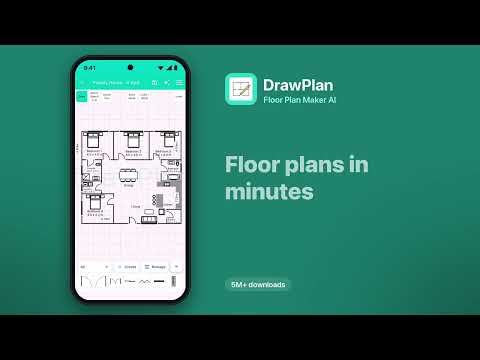
DrawPlan makes it easy to draw clear, professional floor plans, from quick sketches to accurate, to-scale house and room plans. No drafting experience required. Your saved plans are always free to open and edit.
Key Features
Draw your way
• Sketch freely with your finger for quick layouts
• Or draw precise, to-scale plans with automatic wall dimensions
• Choose which walls show their measurements, for a clean plan
AI drawing
• Describe the layout you want, such as "a 2 bed, 2 bath apartment", and DrawPlan AI draws it
• Let AI help you plan rooms, add furniture and learn faster
130+ objects, plus your own
• Furniture, kitchen and bathroom fixtures, doors, windows, stairs and more, sorted by room
• Create, save and reuse your own custom objects
• Add labels and dimensions anywhere
Trace and refine
• Import an image of an existing plan
• Trace or draw directly over the background
Export and share
• Export your plan as a PDF, image or DXF
• Send it to your builder, client or team
Built for real projects
• Renovations, real estate, trades, interior design and DIY
• Create and manage as many plans as you need
• Access your plans across devices with cloud sync
Premium Features
Upgrade to Monthly or Yearly to unlock:
• Cloud sync across all your devices
• High-resolution exports (PNG/PDF)
• Clean exports without grids or watermarks
• Priority support and early access to new features
Try it for free!
Key Features
Draw your way
• Sketch freely with your finger for quick layouts
• Or draw precise, to-scale plans with automatic wall dimensions
• Choose which walls show their measurements, for a clean plan
AI drawing
• Describe the layout you want, such as "a 2 bed, 2 bath apartment", and DrawPlan AI draws it
• Let AI help you plan rooms, add furniture and learn faster
130+ objects, plus your own
• Furniture, kitchen and bathroom fixtures, doors, windows, stairs and more, sorted by room
• Create, save and reuse your own custom objects
• Add labels and dimensions anywhere
Trace and refine
• Import an image of an existing plan
• Trace or draw directly over the background
Export and share
• Export your plan as a PDF, image or DXF
• Send it to your builder, client or team
Built for real projects
• Renovations, real estate, trades, interior design and DIY
• Create and manage as many plans as you need
• Access your plans across devices with cloud sync
Premium Features
Upgrade to Monthly or Yearly to unlock:
• Cloud sync across all your devices
• High-resolution exports (PNG/PDF)
• Clean exports without grids or watermarks
• Priority support and early access to new features
Try it for free!
Draw house and room plans to scale, with AI. 130+ objects. Export PDF or DXF.
Updated on
Safety starts with understanding how developers collect and share your data. Data privacy and security practices may vary based on your use, region, and age. The developer provided this information and may update it over time.
- No data shared with third partiesLearn more about how developers declare sharing
- No data collectedLearn more about how developers declare collection


Ratings and reviews
13.6K reviews

Kody Sherrer
- Flag inappropriate
- Show review history
August 10, 2022
Ok app but would like there to be a setting for grid size or make the grid smaller when zoomed in and would like to be able to zoom out further, its difficult to graph a large structure on a standard phone screen. Also marking center on the grid or giving an option to center drawing would be a big bonus too. Would also be helpful to be able to add my own symbols for use with specialized services such as pest control.
244 people found this review helpful

Tahir Taous
- Flag inappropriate
- Show review history
October 29, 2026
earlier. you must login to use app. now you can use it without login.
Fleet Investments LLC
October 27, 2026
We understand wanting to start drawing without creating an account. Sorry the sign-in requirement got in your way, and thank you for sharing that feedback.

Zibabo Ayaokpo
- Flag inappropriate
May 14, 2024
It's a great idea, but it's of no use due to it inability to access saved plans except you subscribe, if it can be made free, its usage will be more. I guess the developers want to cash out with it, hence, the requirement for subscription, one star is how I rate it.
126 people found this review helpful
What’s new
• Improved AI drawing
• Free access to your saved plans
• Bug fixes
• Free access to your saved plans
• Bug fixes
App support
About the developer
Fleet Investments LLC
8005 E Prairie Meadow Dr
Denver, CO 80238-3817
United States
+1 720-443-1706


