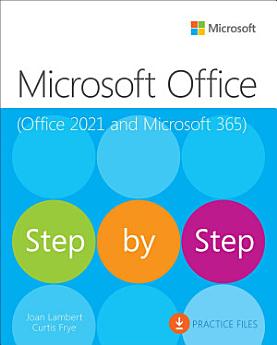
Microsoft Office Step by Step (Office 2021 and Microsoft 365)
About this ebook
Develop the skills to create polished documents, work effectively with data, deliver engaging presentations and manage email and schedules more efficiently. Step-by-step lessons help you complete tasks accurately while introducing tools that can streamline workflows and save time. You will also learn how to collaborate with others, make use of accessibility features and organise information more effectively, enabling you to work with greater confidence and efficiency across a range of personal, academic and workplace activities.
Who It's For
Designed for learners, professionals and anyone looking to build or strengthen their Microsoft 365 skills. It is suitable for those seeking practical guidance on using Word, Excel, PowerPoint and Outlook more effectively in academic, workplace or personal settings.
Discover more
Ratings and reviews
About the author
Joan Lambert has worked closely with Microsoft technologies since 1986, and in the training and certification industry since 1997, guiding the translation of technical information and requirements into useful, relevant, and measurable resources for people seeking certification of their computer skills or who simply want to get things done efficiently. She has written more than 50 books about Windows, Office, and SharePoint technologies, including dozens of Step by Step books and several generations of Microsoft Office Specialist certification study guides. Students who use the GO! with Microsoft Office textbook products from Pearson may overhear her cheerfully demonstrating Office features in the videos that accompany the series. A native of the Pacific Northwest, Joan has had the good fortune to live in many parts of the world—including Germany, New Zealand, Sweden, and Denmark—and many of our United States. She currently resides with her family—one daughter, two dogs, two cats, and seven chickens—in the Beehive State, where she enjoys the majestic mountain views, mostly blue skies, and occasional snowstorm.
Curtis Frye is the author of more than 30 books, including Microsoft Excel 2019 Step by Step and Microsoft OneNote Step by Step for Microsoft Press. He has also created and recorded more than 90 online training courses for lynda.com and LinkedIn Learning on topics such as Excel data analysis; supply chain, transportation, and inventory problems; and data visualization using Tableau. He lives in Portland, Oregon, with his wife, Virginia.