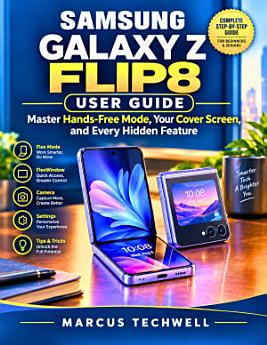
SAMSUNG GALAXY Z FLIP8 USER GUIDE: The Complete 2026 Guide to Flex Mode, Cover Screen Apps, and Foldable-Specific Features Every New Owner Needs to Know
About this ebook
Wish your new Flip8 felt easier to understand?
Want to master Flex Mode, make your FlexWindow genuinely useful, and discover features you might otherwise overlook?
Tired of complicated technical instructions that leave you more confused than confident?
Your Galaxy Z Flip8 is more than a phone that folds. It is a powerful, flexible device designed to change how you communicate, work, create, and enjoy everyday life.
SAMSUNG GALAXY Z FLIP8 USER GUIDE gives you a clear, practical path from first setup to confident everyday use—without drowning you in unnecessary technical jargon.
Inside, You'll Discover:
First-Day Setup Made Simple — Transfer your data, understand the hinge and FlexWindow, and configure essential settings.
Master Flex Mode — Use hands-free photography, video calls, media controls, multitasking, and split-screen features.
Unlock Your FlexWindow — Customize widgets, shortcuts, layouts, smart replies, translation, and more.
Explore Galaxy AI Features — Discover practical ways AI can enhance your everyday Flip8 experience.
Take Better Photos — Learn camera features designed around the unique foldable form factor.
Personalize Your Phone — Customize themes, Always On Display, lock-screen options, and your overall experience.
Work Smarter — Use Multi-Window and App Pairs to make multitasking feel effortless.
Protect Your Investment — Learn practical crease, hinge, cleaning, battery, and water-resistance guidance.
Solve Common Problems — Find straightforward troubleshooting steps, update guidance, backup tips, and safe reset options.
Know When to Get Help — Understand when you can solve an issue yourself and when Samsung support is the better choice.
And Much More
WHY THIS GUIDE BELONGS BESIDE YOUR FLIP8
Because you shouldn't have to figure everything out by trial and error.
Whether you're opening your first foldable phone, upgrading from an earlier Galaxy device, or simply wondering what your Flip8 can really do, this guide helps turn unfamiliar features into practical everyday tools.
Open the phone. Discover the possibilities. Make the Galaxy Z Flip8 work for you.
Your Flip8 is already powerful. Now learn how to use it with confidence.