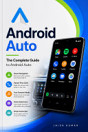
XOS Launcher: Mastering Android Desktop Personalization and Speed

· Mindroot
Ebook
29
Pages
Tools

About this ebook

XOS Launcher is an adaptable Android desktop environment engineered to streamline mobile navigation, personalize home screen layouts, and enhance device performance. Designed for smartphone users seeking greater control over their everyday digital workspace, this lightweight launcher replaces cluttered stock interfaces with responsive grid controls, dynamic aesthetic styling, and intelligent app organization. Whether you want to revitalize an older phone or optimize daily multitasking, learning XOS Launcher unlocks faster mobile interactions and efficient navigation habits.


This comprehensive practical guide walks readers through initial setup, interface personalization, and advanced system utilities with clear, step-by-step instructions:


• Configure desktop grid dimensions, icon scaling, and bottom dock layouts for single-handed navigation

• Organize the alphabetical app drawer, create smart categorized folders, and eliminate home screen clutter

• Assign fluid swipe and multi-finger gestures to trigger instant notifications and app shortcuts

• Apply dynamic themes, curated icon packs, font typography, and three-dimensional rolling transition effects

• Personalize the Zero Screen ambient feed with real-time weather cards, daily step tracking, and utility shortcuts

• Protect sensitive software using biometric App Lock, conceal private files inside the secure Vault, and freeze dormant background apps


Packed with proven configuration strategies and troubleshooting solutions, this handbook empowers you to build an intuitive, clutter-free mobile workspace tailored to your daily routine. Master every setting to make your smartphone faster, safer, and uniquely yours.

XOS Launcher is an adaptable Android desktop environment engineered to streamline mobile navigation, personalize home screen layouts, and enhance device performance. Designed for smartphone users seeking greater control over their everyday digital workspace, this lightweight launcher replaces clu...

Discover more

Rate this ebook

Tell us what you think.

Reading information

Smartphones and tablets
Install the Google Play Books app for Android and iPad/iPhone. It syncs automatically with your account and allows you to read online or offline wherever you are.
Laptops and computers
You can listen to audiobooks purchased on Google Play using your computer's web browser.
eReaders and other devices
To read on e-ink devices like Kobo eReaders, you'll need to download a file and transfer it to your device. Follow the detailed Help Center instructions to transfer the files to supported eReaders.

More by MEDOORI

Similar ebooks